
The pieces
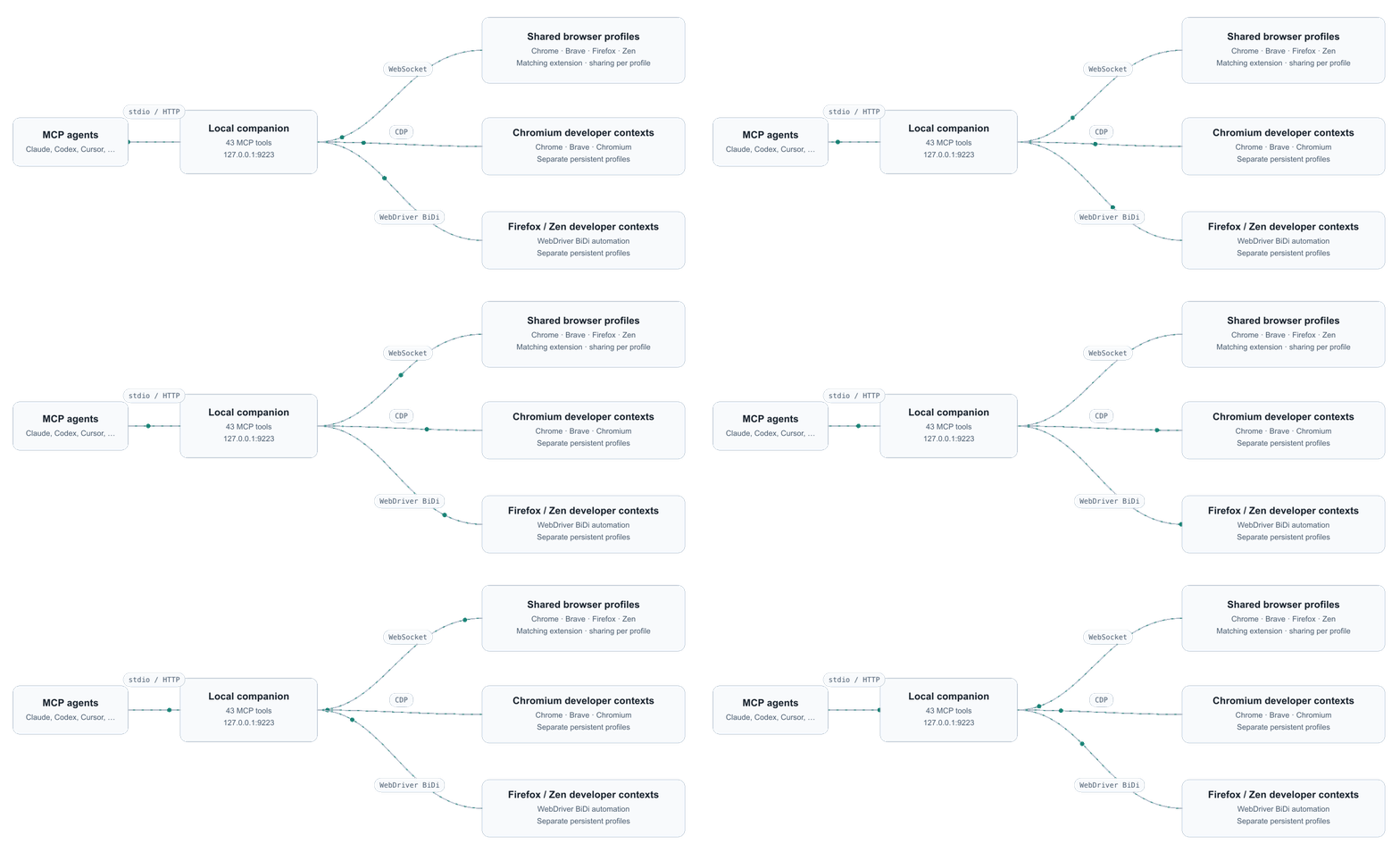
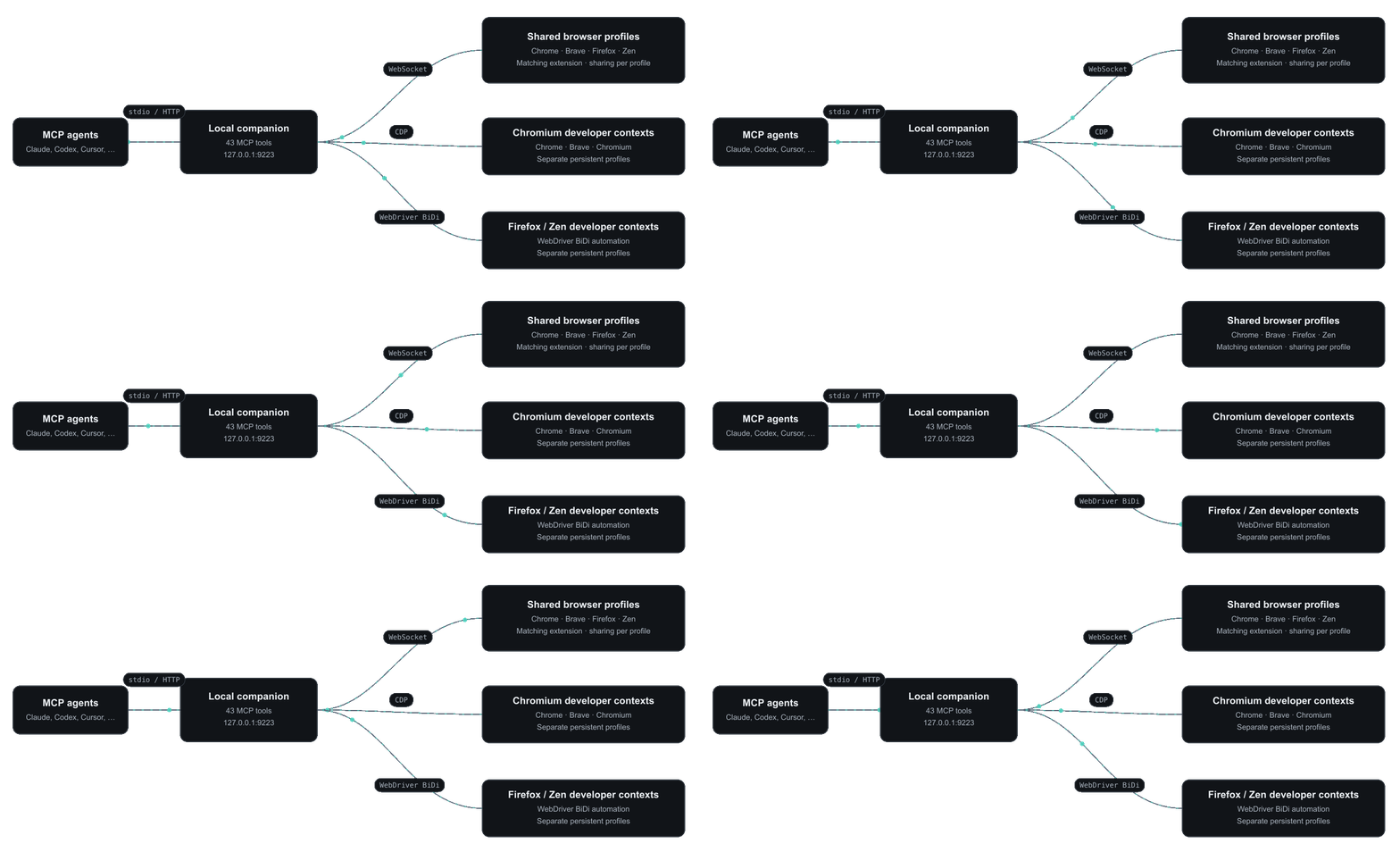
- Companion (
companion/): the MCP server. Registers 45 tools, keeps per-tab capture state (console, network, scripts, paused frames, issues), holds artifacts, and routes each command to the selected extension or developer browser. Connected browsers share one local port and have unique public tab IDs. - Extension (
extension/): a Manifest V3 background process that connects each browser profile to the companion, built from the sharedshared/source with per-browser manifests inchromium/andfirefox/. Chromium uses the debugger API; Firefox uses WebExtension APIs and sandboxed user scripts. Its full-page dashboard controls sharing, tool switches and the activity log. Several profiles can connect simultaneously. - Shared protocol (
shared/protocol.ts): the typed request, response and event messages between the two. Summarised in Wire protocol.
One Chromium tool call, end to end
- The agent calls
browser_click {tabId: 1234, ref: "e12"}. - The companion checks the tool is not disabled in the dashboard, resolves the tab (the caller’s own tab, the only usable tab, or the explicit
tabId) and looks up refe12in the snapshot registry the page keeps inwindow.__bmcp. - Because tab 1234 is an extension-mode tab, the companion selects its owning browser, translates the public tab ID to that browser’s native ID, and sends a
cdprequest over its WebSocket: methodInput.dispatchMouseEventwith the coordinates. - The service worker checks sharing, attaches the debugger if it is not attached yet, forwards the command, and returns the result. Background Mode keeps the tab in the background by default; a profile can opt into foreground input in Settings.
- While waiting, the companion also listens for
Page.javascriptDialogOpeningandDebugger.paused. If a dialog or breakpoint interrupts the click, the call returns immediately and says what to do next instead of hanging. - After 30 seconds without commands the worker detaches the debugger and the yellow bar disappears, unless a
devtools_sessionis holding the tab.
Developer mode
When a tool needs something Chromium does not expose to extensions, for example a heap snapshot, it fails with a message saying so.browser_session {action: "launch", browser: "chrome"} starts a separate Chrome with --remote-debugging-port=0, reads its DevToolsActivePort file, and talks to it directly. Brave uses the same CDP transport. These tabs belong to the agent’s developer context and DevTools opens on each one by default.
Firefox and Zen developer sessions use WebDriver BiDi with the same tool names and documented exceptions. They do not attach to everyday Firefox or Zen tabs. Name each context to run several browsers together, then select a context for new developer tabs or a tabId for an existing tab. The connected dashboards’ Developer browser settings control whether launches are allowed. Details in Developer browser and Using multiple browsers.
State and files
Everything persistent lives under~/.browspark/:
See Files and directories.