
One companion, many clients
The first companion process to start owns port9223. Every companion started afterwards, by any other client, finds the port taken and becomes a relay: a thin stdio server that forwards tools/list and tools/call to the owner over the HTTP endpoint. From the client’s point of view nothing changes. Each extension profile connects once to that owner, regardless of how many agents are using it.
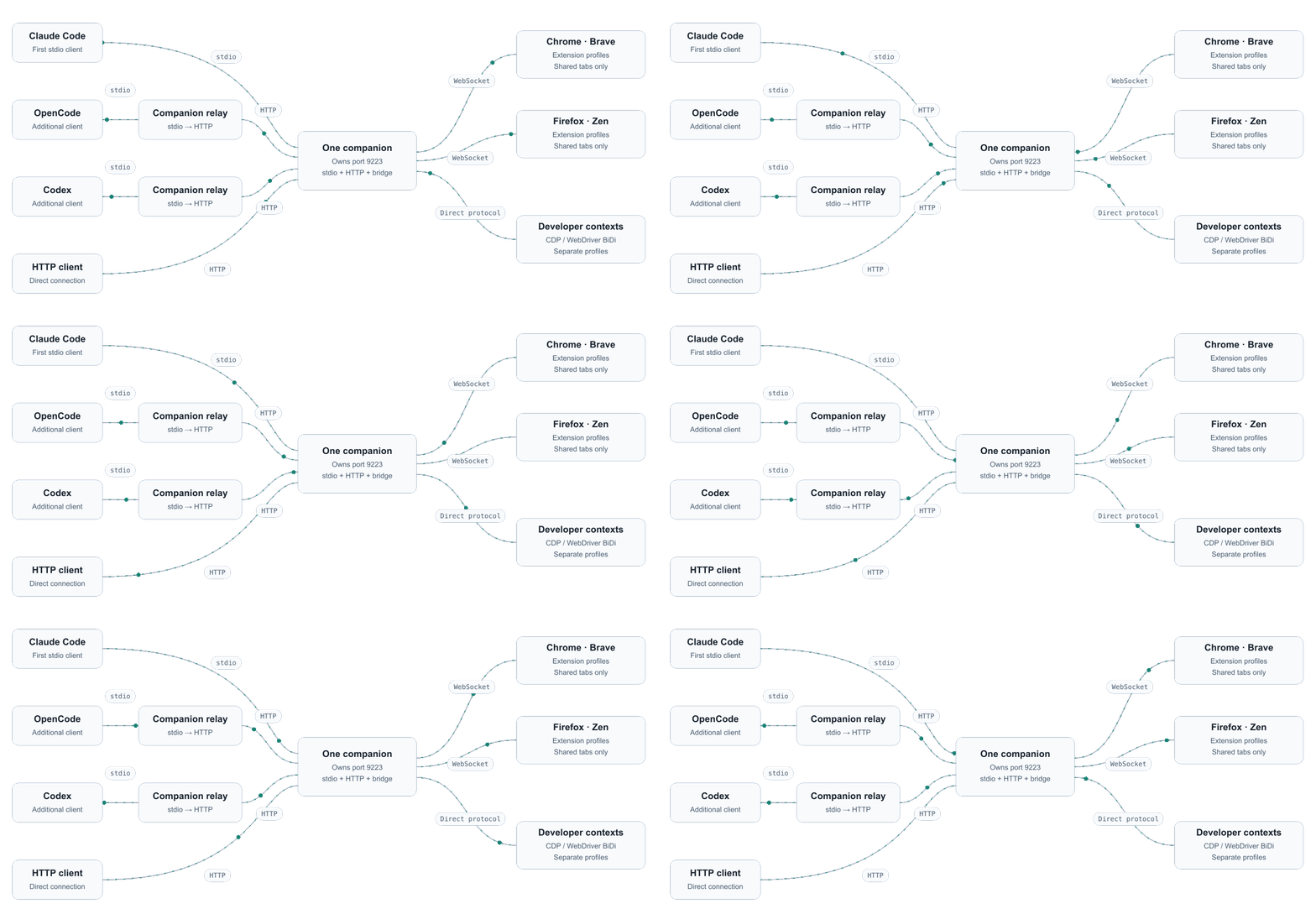
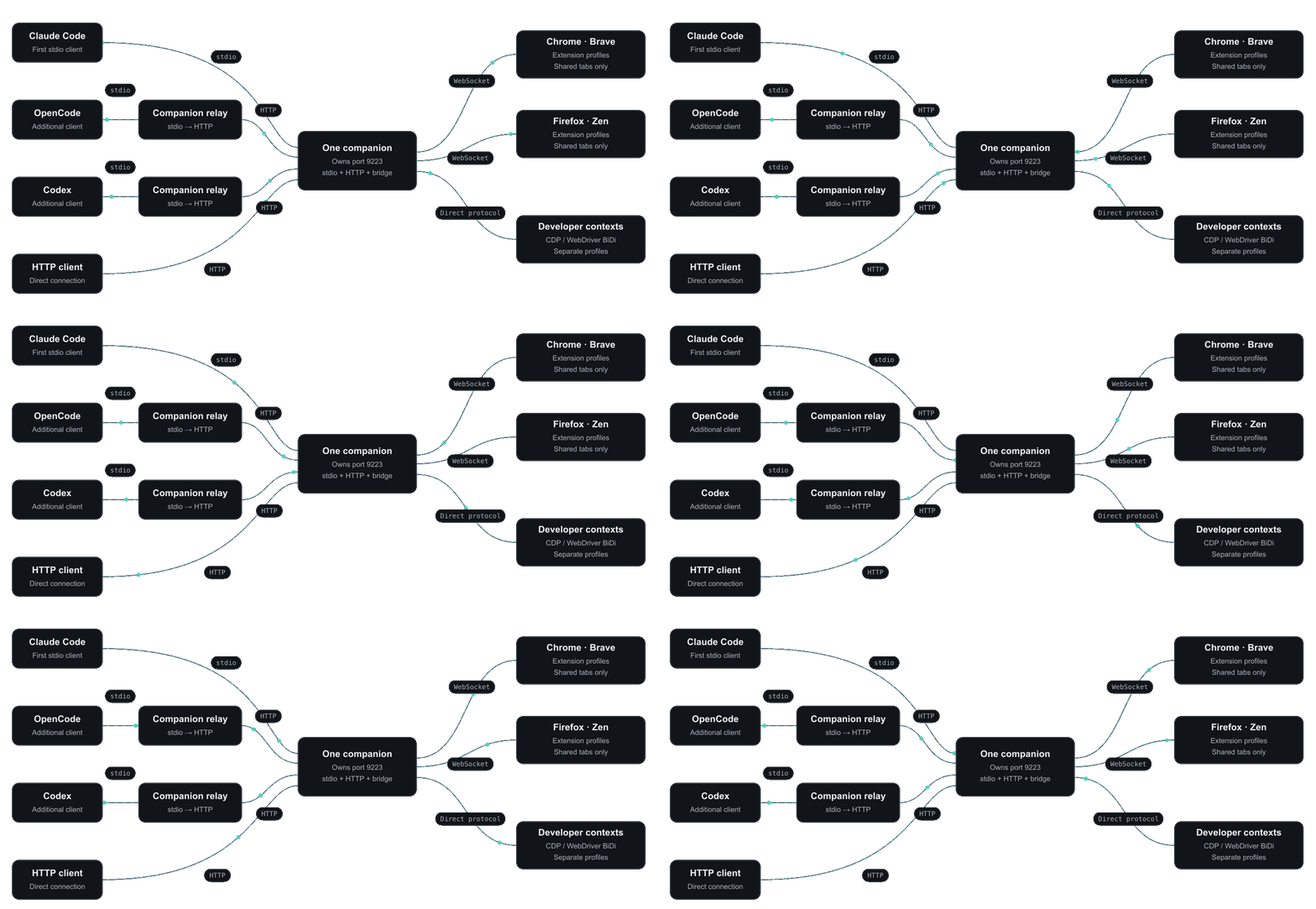
browser_status again to get current browser and tab IDs.
If the port is taken by something that is not a companion, the relay retries for a few seconds and then answers every tool call with an error asking you to stop the other process or use
--port. It never guesses a different port on its own, because the extension is configured for one specific port.What is per agent
When two agents both leave
tabId empty, each gets its own most recently opened tab. If neither owns a tab and several tabs are shared, the tool asks for an explicit tabId rather than guessing.
When working across browsers, pass the returned tabId explicitly on page tools. Use browserId to open a tab in an extension browser and context to open one in a developer session. Tab ownership chooses a default target; it does not prevent another agent from using an accessible tab by ID.
Verifying
bun process listening. pgrep -fl browspark-mcp shows one owner plus one relay per additional stdio client. Each dashboard’s Activity page (when the log is on) lists which agent issued commands to that profile.