
browser_status to get their browser and tab IDs; separate developer sessions have no extension dashboard.
In Firefox or Zen, the dashboard shows Allow website access if the all-websites permission is missing, followed by Enable Firefox automation to grant user-script permission. Website access also enables Firefox’s native tab screenshots; Browspark only automates shared HTTP/HTTPS tabs. Share the tabs you want to use after granting these permissions. See Firefox extension setup.
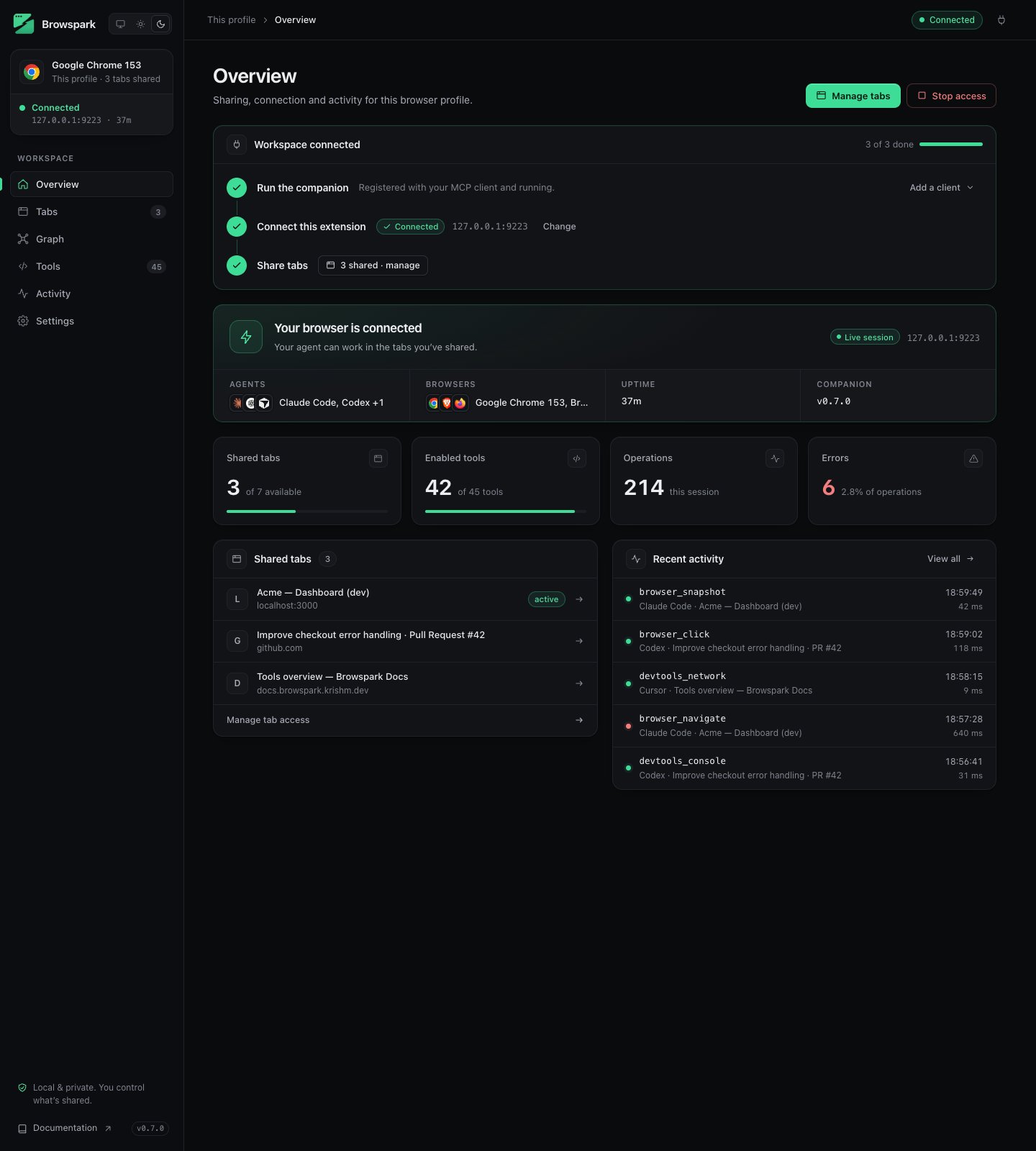
Connection card
Shows whether this profile’s extension is connected to the companion (127.0.0.1:<port>), reconnecting, or stopped. While connected, a strip underneath lists the agents and browsers currently on the companion (with the Graph enabled), how long the session has been live, and the companion version. Stop and Resume affect this profile, as on the Settings page.
Setup
A three-step checklist with a progress bar: Run the companion, Connect this extension and Share tabs. Completed steps collapse to a single line, so a connected profile keeps the Overview short. The first step holds a client picker (Claude, Codex, OpenCode, Cursor, Antigravity, Muse Code) with the exact command or JSON to paste, a copy button, the file it belongs in, what to do next, and a link to that client’s MCP documentation. It is open until the companion connects; afterwards choose Add a client to show it again. The snippets already include--port when you changed the bridge port. Full text of each is in Connect an agent.
Numbers
Shared tabs and Enabled tools are always shown, each with a meter against the available total. Operations and Errors count commands since the extension started and appear only while the activity log is on; with it off nothing is counted.Stale worker banner
After a dashboard-only rebuild, refresh its tab to load the new UI. After changing the extension background process, reload the extension in every connected profile, usingchrome://extensions in Chrome, brave://extensions in Brave, or about:debugging in Firefox and Zen. The dashboard shows a reload banner when it detects a version mismatch or a missing setting; source changes that retain the same version may need a manual reload. Restart the companion separately when its code changes.